
From the Plugin you can add special opening and closing hours which will automatically show at the correct time on the Visit Us page and in the Footer of all the pages.
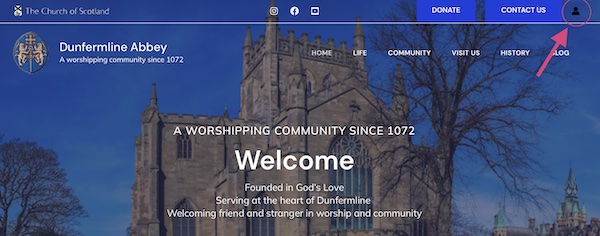
Log into the Admin Section of the website by clicking the icon and inputting your details
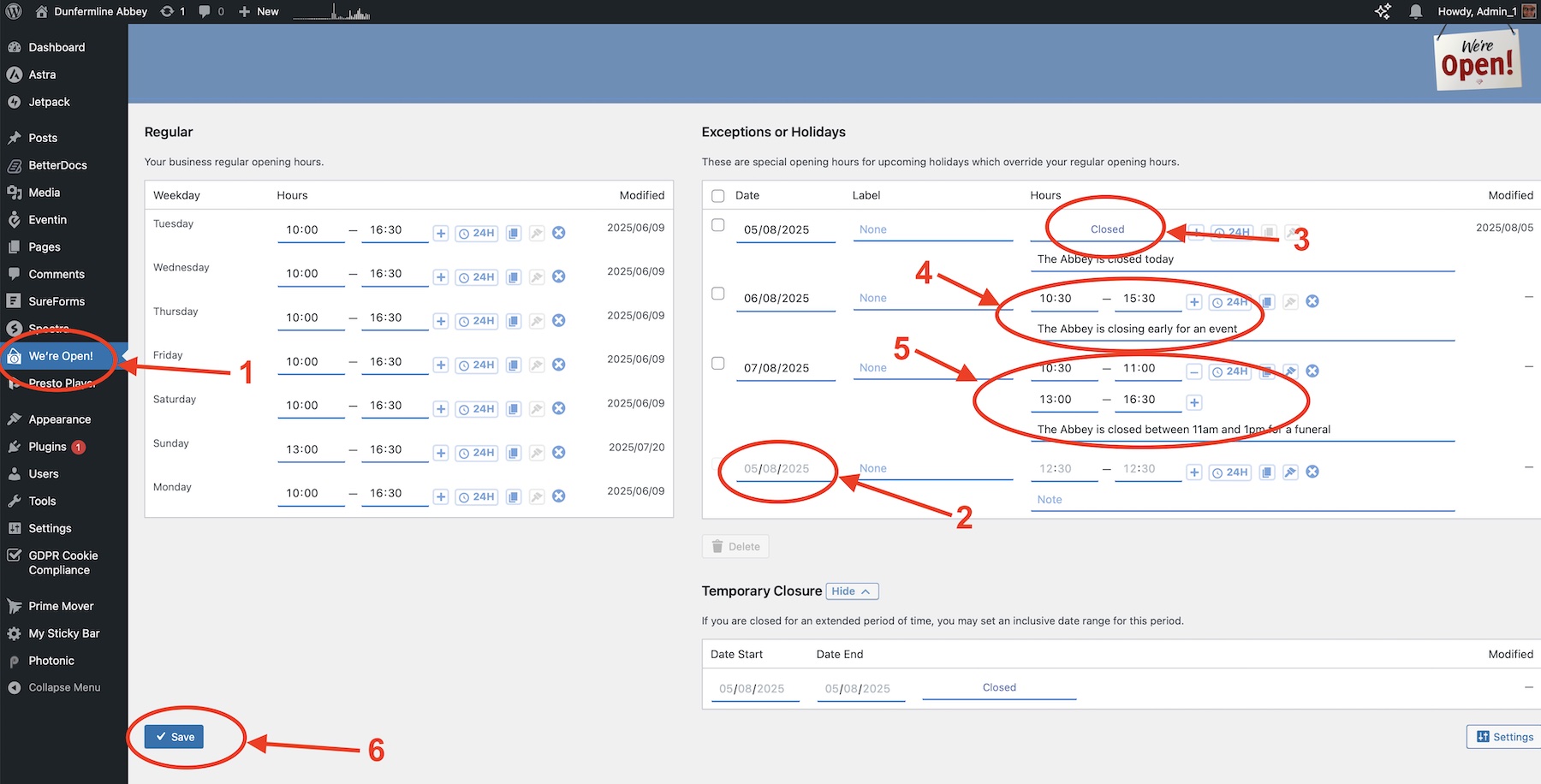
(1) From the admin menu on the left, select “We’re Open!
(2) Click the bottom date and select the date for the revised opening hours.
(3) If the Abbey will be closed for the whole day then you just have to enter the date. The hours column will show closed. You can add a note under Closed to explain
(4) If the opening hours are different then click Closed and enter the time the time the Abbey is open that day. For example from 10.30 to 15.0. You can add a note to explain the closure
(5) If the Abbey is closed in the middle of the day then enter the times it is open by clicking the + sign to add more opening times in that day. For example if the Abbey is to be closed between 11am and 2pm then you would enter the date then an opening time from 10.30 to 11.00. You would then click the + to add another opening time to that date and enter 14.00 to 16.30. Again you can add a note to explain the closure
(6) Once you are finished adding special opening times hit the SAVE button at the bottom of the page